Pull the numbers out of a file
Usual reads a statement or a payroll report and lays out its values and tables, ready to paste into a spreadsheet or download as CSV.
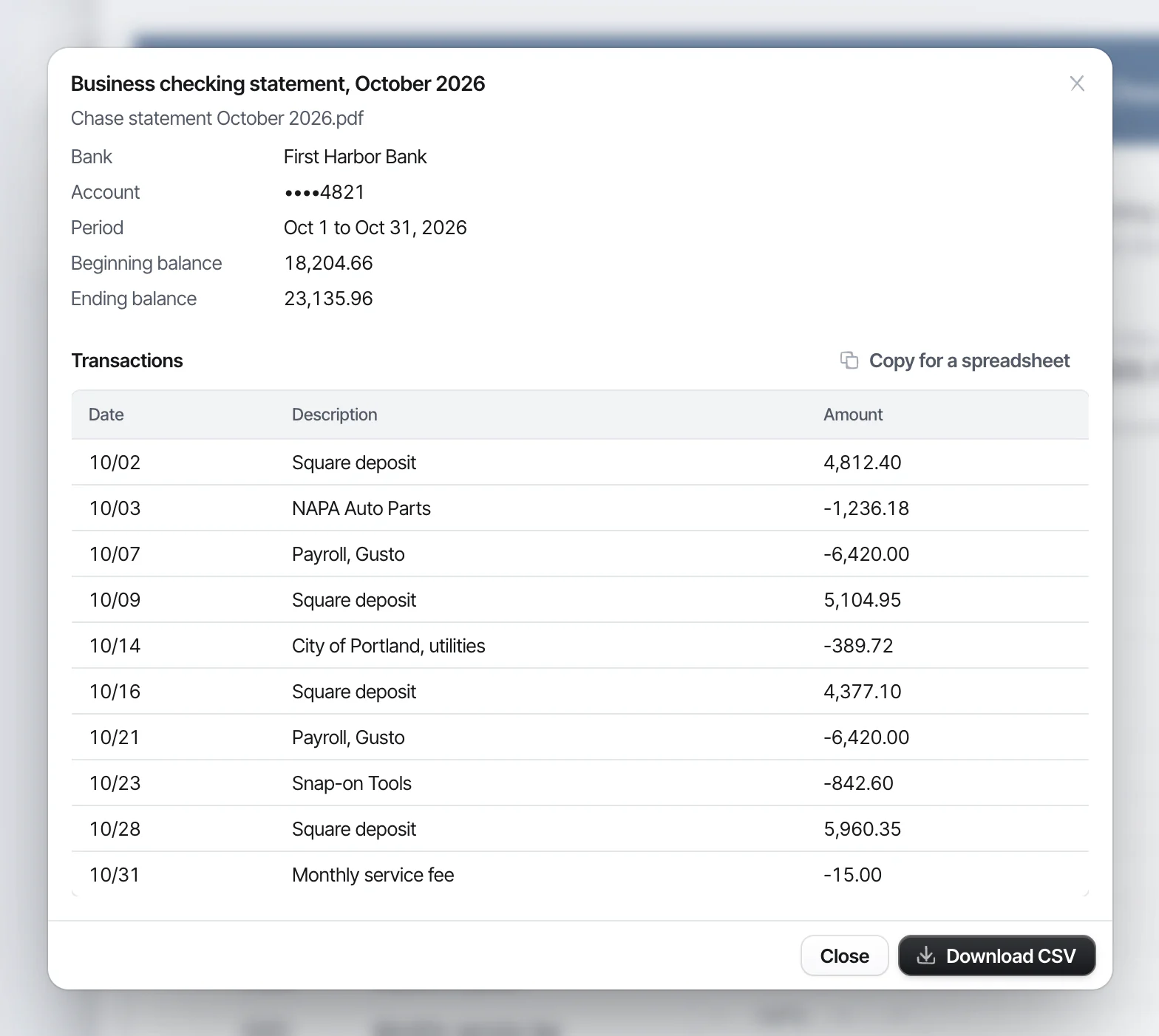
- 1Tables come out as rows and columns
- 2Download as CSV
Retyping a bank statement into a spreadsheet is slow, and it's where mistakes creep in. Open the file, press Extract data, then Read the file.
- The values (bank, period, balances) and every table appear beside the file.
- Copy for a spreadsheet pastes a table into Excel or Google Sheets in rows and columns. Download CSV saves everything.
- ID and account numbers show only the last four digits.
- Nothing read from the file is stored.
- Team includes 200 files a month and Business 1,000. Turn it off with Read client files in Settings › Business profile.