Share a file with a secure link
When a lender or an attorney needs one of your client's files, send a link instead of an attachment. You decide how long it works, how often it opens and whether it downloads.
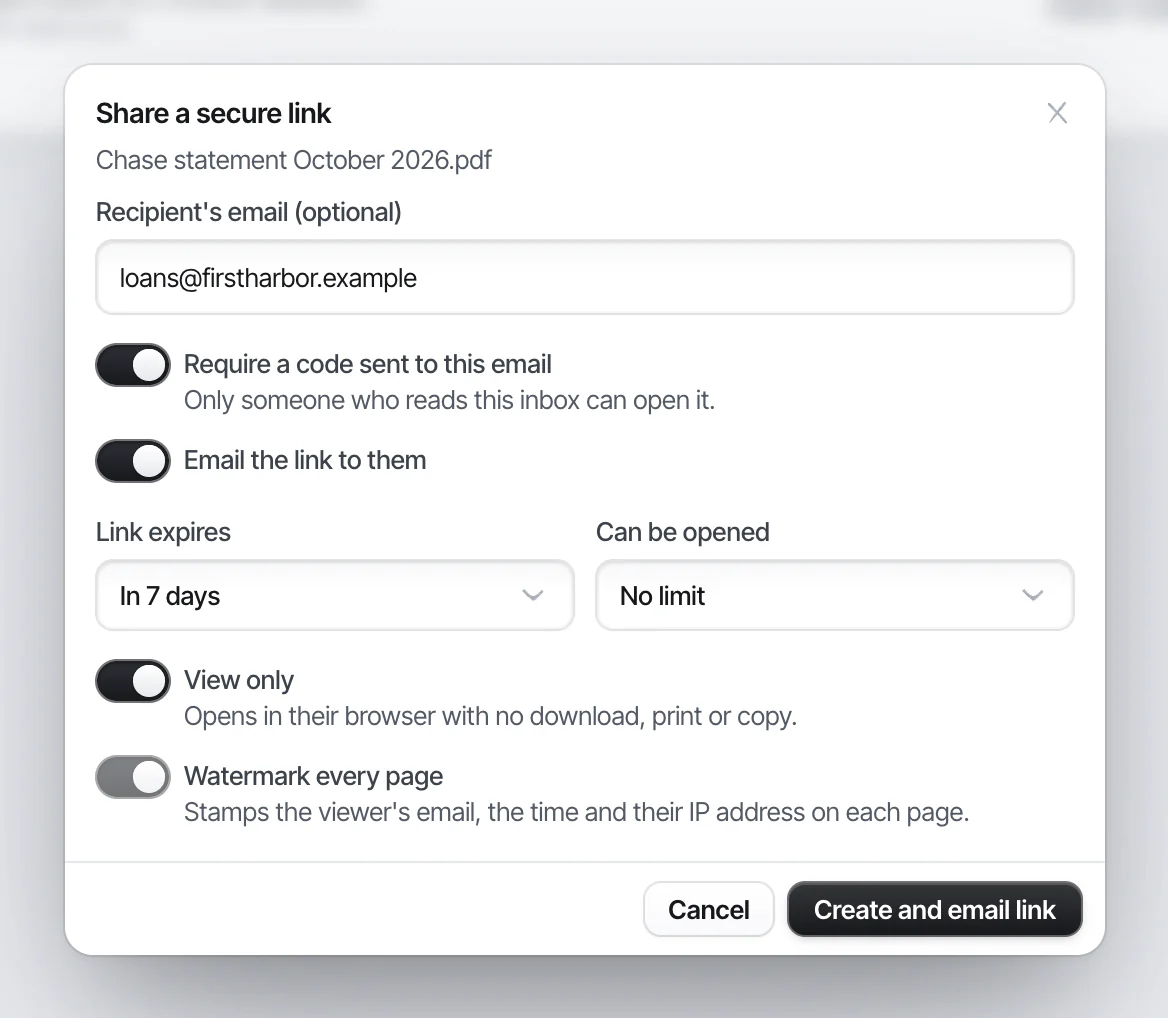
- 1Only the inbox owner can open it
- 2An expiry and an open limit
- 3Their email, time and IP on every page
An attachment lives forever in someone else's inbox. A secure link stops when you say so.
- Press the link icon on any file in Files or a client's Files tab.
- Require a code sent to the recipient's email, so only someone who reads that inbox can open it.
- Pick when the link expires, from 1 hour to 90 days, and how many times it can be opened.
- View only shows the pages in the browser with no download, print or copy. Watermark every page stamps the viewer's email, the date and time and their IP address.
- See who opened each link and how often, and turn a link off at once. Every open is in the activity log.